


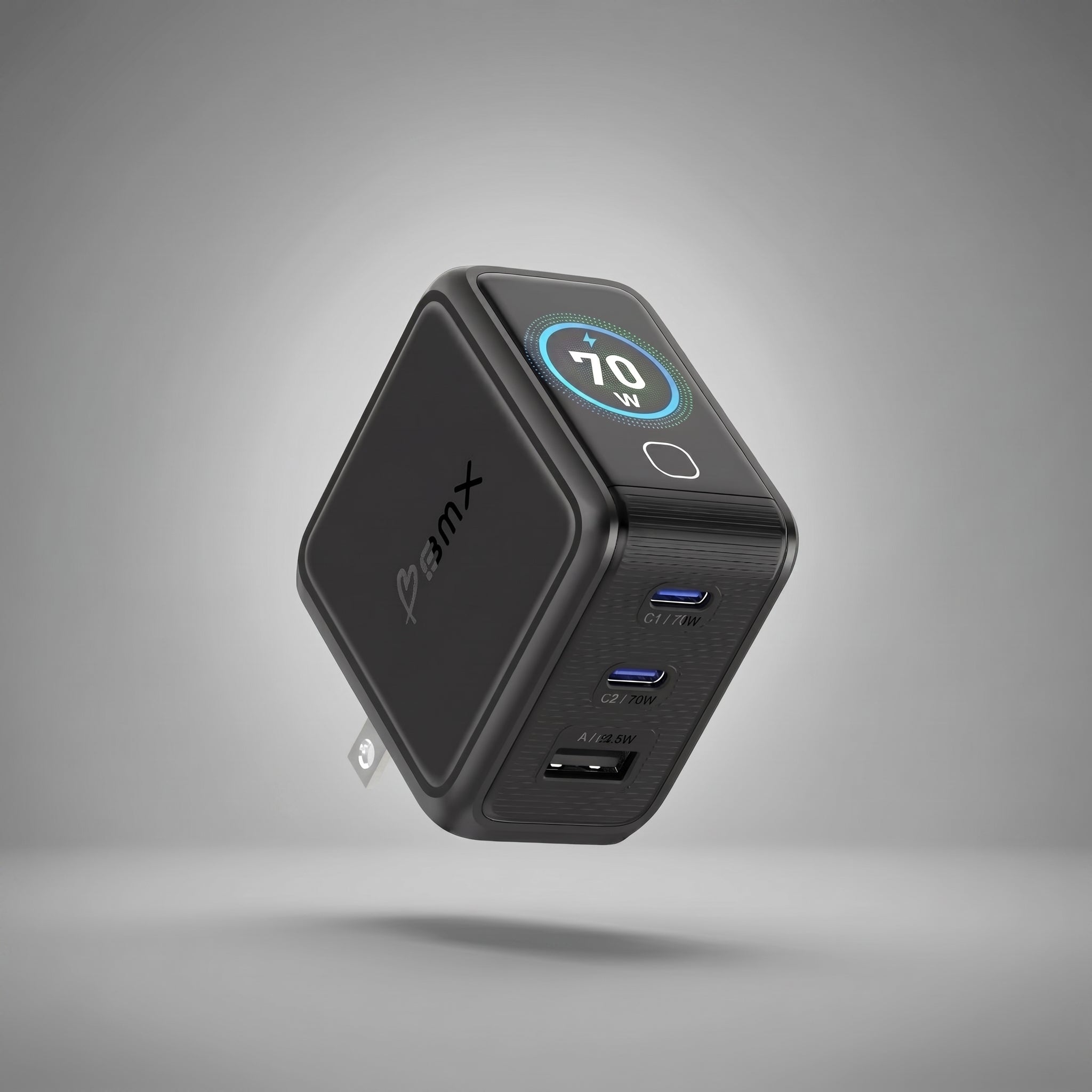


Three chargers for two devices. A phone cable tangled around a laptop charger. The adapter you need is in a drawer at home. One USB-C charger can replace that pile, but only if you choose it from the devices you use together, not the biggest wattage printed on the box.
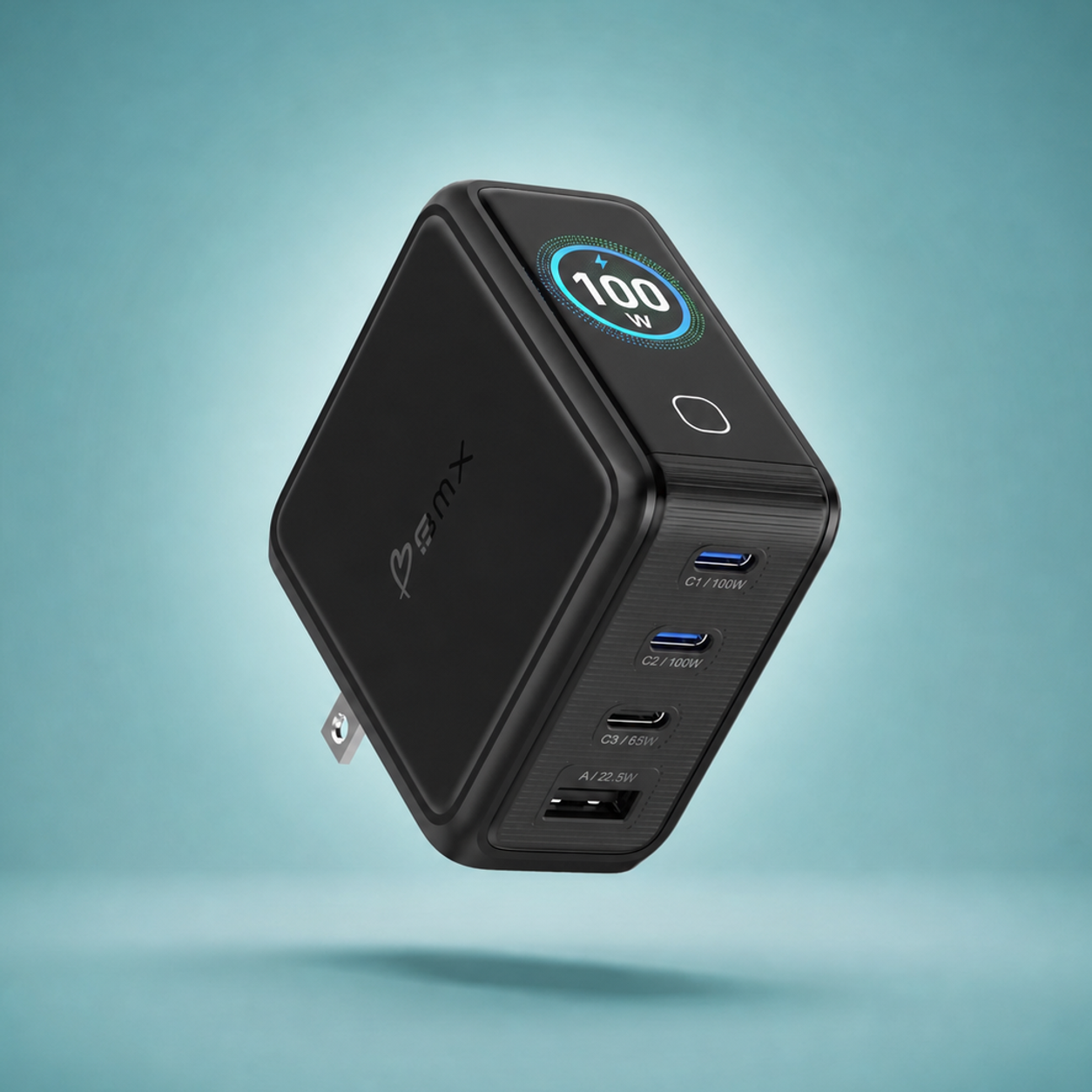
The short answer: start with your laptop, then check what happens when a second cable is plugged in. A 100W charger can give one device up to 100W, then change to 70W + 30W when two primary USB-C ports are active. That split, not the headline number, decides whether your laptop keeps fast charging.

Start with the device that needs the most power
You do not need to memorize charging standards. Find the biggest device in your bag, then protect enough wattage for it when everything else is plugged in.
These are planning ranges, not universal promises. Check the recommendation for your exact model. A device only draws the power it supports.
Try your actual bag
Tap the ports you would use
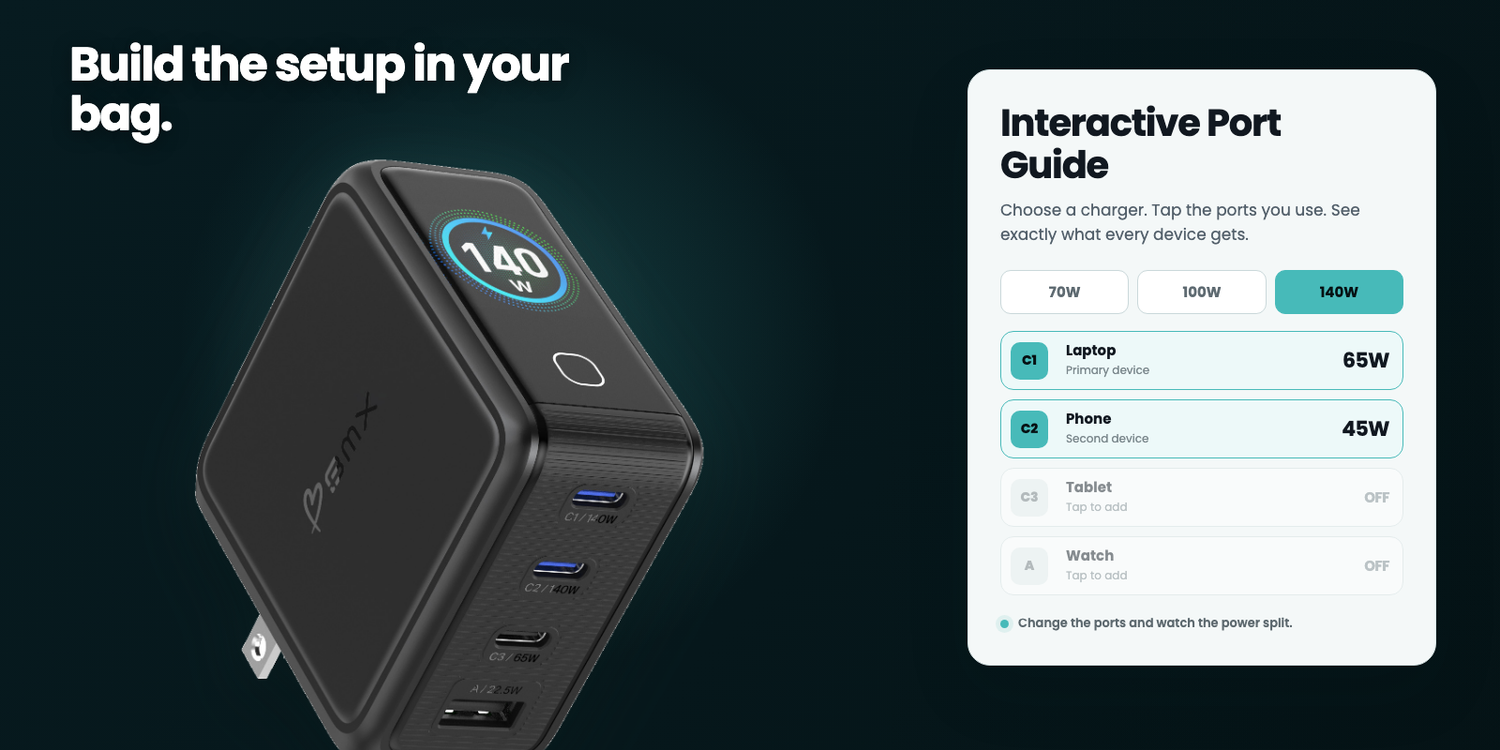
Pick 70W, 100W, or 140W. Then turn ports on and off. Start with C1 for the laptop and C2 for the phone. The result shows how much power each connected device can receive.
Device labels are practical examples, not universal compatibility promises. Your device only draws what it supports, and charging speed can fall as its battery fills or temperature changes.
Which wattage should you pack?
The right answer depends on your laptop and what else you charge at the same time. These are practical starting points, not device-specific promises.
The laptop-plus-phone shortcut
C1 + C2 gives you 45W + 20W on the 70W, 70W + 30W on the 100W, and 65W + 45W on the 140W.
If your laptop needs around 65W while the phone charges, the 100W is the cleanest fit. If the laptop needs up to 140W by itself, choose the 140W.
| Choose | Best fit | Watch for |
|---|---|---|
| 70W | A laptop by itself, or a lower-power laptop with a phone | The laptop drops to 45W with two or three ports active |
| 100W | Most laptop, phone, and small-device travel kits | All four ports reduce the primary laptop port to 45W |
| 140W | High-power laptops or two meaningful USB-C loads at once | The included cable supports the full 140W; replacement cables must be EPR rated |


Every model includes the correct braided USB-C cable for that charger, EU/UK/AU adapters, a foldable US plug, and a suede travel pouch.
For the reader who wants the why
Why the wattage changes
The recommendation is above. The sections below explain what the charger, device, ports, cable, and travel adapters are doing underneath it.
Fast charging is a negotiation
Your charger does not force 100W into every device. It announces what it can supply. The device asks for a level it supports. The cable carries the agreed power. Battery level and temperature can reduce the draw as charging continues.
That is why a 140W charger can charge earbuds safely, and why a laptop can still report a slow charger when several ports are active.
The laptop sets the floor
Find the wattage on the laptop's original adapter or the manufacturer's recommendation for that exact model. That is the amount you protect first. The phone and smaller accessories use what remains.
A higher-wattage USB-C PD charger can still charge a lower-power phone, tablet, watch, or earbuds because each device requests only what it supports.
The total is shared
The wattage printed on a multi-port charger is its total maximum output, not the amount every port delivers simultaneously. A second or third connection changes the allocation.
That is the whole reason for the selector above. A 70W charger can supply 70W to one USB-C device, then give the laptop 45W when a phone is connected. The charger is working correctly. The available power has been divided.
Use the cable in the box
Each GaNsta LCD charger includes the correctly rated braided USB-C cable. You do not need to solve the cable question separately.
The rating only becomes relevant if that cable is replaced later. Use a 100W-or-higher USB-C cable with the 70W or 100W charger. To reach the 140W charger's maximum output, use a 140W-or-higher EPR-compatible replacement.
The adapters fit the outlet
GaNsta LCD 70W, 100W, and 140W chargers accept 100-240V input. The included EU, UK, and AU adapters change the physical plug shape; the foldable US plug is built in.
A plug adapter is not a voltage converter. Check other appliances separately, especially hair dryers and other high-heat devices.
What one charger does not replace
Consolidating wall chargers does not eliminate every cable or accessory. A watch may still need its proprietary magnetic puck. Older devices may need USB-A or a device-specific connector. Away from a wall outlet, you still need a power bank.
A realistic compact kit is one multi-port charger, one properly rated USB-C cable for each device you may charge simultaneously, any proprietary watch cable, and a power bank for transit days.
Frequently asked questions
Can a 100W charger damage my phone?
No, not when both devices follow USB Power Delivery specifications and you use a suitable cable. The phone and charger negotiate a supported power level.
Will a 70W charger charge a 67W laptop and a phone?
It can charge both, but not at 67W + full phone speed at the same time. On the GaNsta 70W, using two USB-C ports provides 45W + 20W. Decide whether 45W is enough for how you use the laptop while plugged in.
Why does my laptop say "slow charger"?
Another connected device may have changed the port split. If you are using the included GaNsta cable, check the active-port combination first. If you replaced the cable, then check its rating too.
Do I need a voltage converter for Europe?
Not for a charger labeled for 100-240V input. You need the correct physical plug adapter. Check every other appliance separately because a plug adapter does not convert voltage.
Is 140W worth it?
It is useful when your laptop can accept high-power USB-C charging or when you want two substantial USB-C outputs at once. For a lighter laptop and phone setup, 100W is often the better balance.
Choose from the setup you use together
Compare the GaNsta 70W, 100W, and 140W chargers by laptop demand and simultaneous charging.
Find your chargerSources and product notes
Charging behavior and device examples: USB-IF Power Delivery interface, Apple iPhone fast charging, Apple Mac power adapters, Apple MacBook Air fast charging, and Google Pixel charging. Check the manufacturer recommendation for the exact device model.
GaNsta output splits, included accessories, cable requirements, and input voltage come from the current BMX product documentation and the live GaNsta PDP power-split implementation. The simulator shows available port output. A connected device may draw less.
Disclosure: BMX makes the GaNsta chargers shown in this guide. Recommendations are based on the verified output combinations above, not affiliate placement.

Leave a comment
This site is protected by hCaptcha and the hCaptcha Privacy Policy and Terms of Service apply.